Accessing Entity History
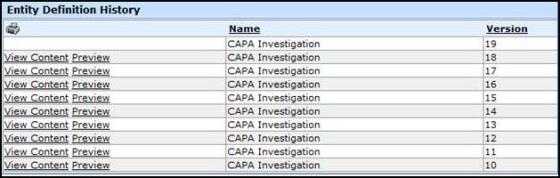
The entity history maintains each entity after it is published and archived (when a newer version is published). Designers can retrieve and restore any version of an entity from the entity history.
The Preview link in the Entity Definition History window allows the user to see the design of the entity and the label translation used on the entity. This provides visual help for change control and allows the designer to view any version of the entity. In a regulated environment where change control is important, the designer can see the differences in the various versions of the entity.
- From the Administrator Tools tab on the SmartSolve Portal Page, click Designer > Entity Designer.
- From the top menu, select Entity > Open.
Result: The Open Entity window displays a list of all available uploaded entities. - Click the name of the appropriate entity.
Result: The Entry Field List Details window is displayed for the selected entity. - From the top menu, select LifeCycle > History.
Result: The Entity Definition History window displays showing all past versions of the entity.